
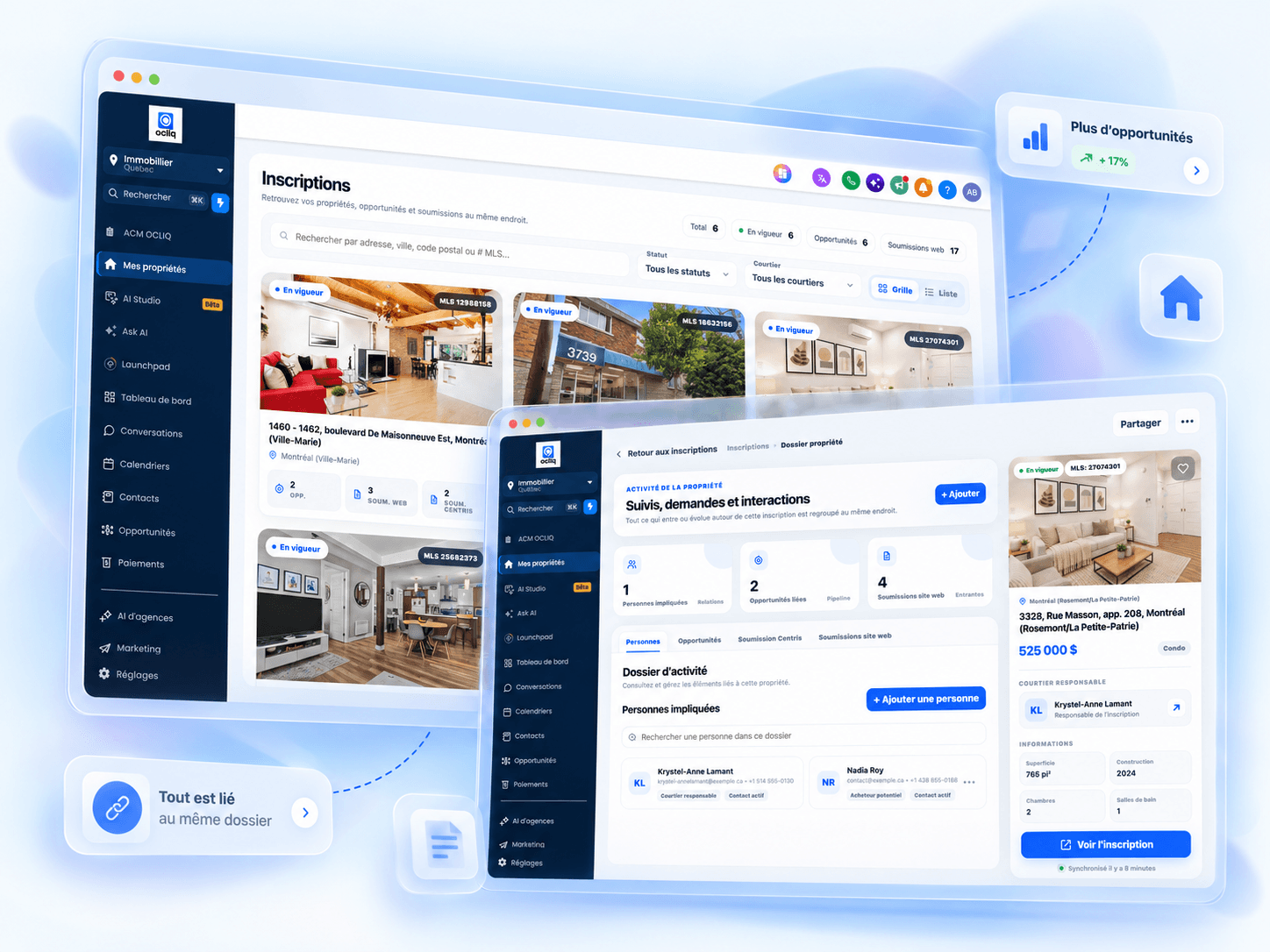
A strong real estate CRM in Quebec centralizes buyers, sellers and past clients, keeps communication history, structures pipelines, plans next actions and automates selected follow-ups. The best choice is not necessarily the CRM with the most features; it is the one that matches your real process and is used every day.
What is a real estate CRM?
CRM means Customer Relationship Management. In real estate brokerage, a CRM helps organize every relationship that can lead to a transaction today or months from now: buyers, sellers, prospects, past clients, referrals and partners.
The difference between a CRM and a simple address book is the concept of a next action. A useful record does not just contain a name, phone number and email. It also shows where the prospect came from, what they are looking for, recent conversations, interest level, upcoming tasks and the current opportunity stage.
Open any prospect record. In less than 20 seconds, you should understand who the person is, what happened and what needs to happen next.
Why real estate brokers need a structured CRM
The problem is not always a lack of leads. It is often a lack of continuity in follow-up. A prospect may submit a form today, ask for a showing in three weeks and be ready to buy months later. If information is split between the phone, Gmail, notes and spreadsheets, the relationship becomes difficult to resume properly.
Centralized contacts
Buyers, sellers, past clients, referrals and new leads remain in one structured database with their history.
Clear pipelines
Each opportunity moves through stages that match your process instead of staying in a contact list with no context.
Conversations grouped together
SMS, email, calls, notes and next actions are easier to find before reconnecting with a prospect.
Follow-ups and reminders
The CRM helps you know who to contact, when to do it and which follow-ups have already been completed, with automation where appropriate.
Appointments and deadlines
Showings, reminders and important dates can be connected to the right contact or file to reduce missed actions.
Teamwork
A team can assign leads, share notes and see next actions without relying on verbal handoffs.
Features to prioritize in a real estate CRM
Platforms can advertise dozens of features, but a few capabilities have a much bigger impact on a broker’s or team’s daily work.
| Feature | Why it matters | Question to ask before choosing |
|---|---|---|
| Complete contact record | Avoids searching several tools for the history. | Can I see conversations, notes, tasks and opportunities in one place? |
| Customizable pipelines | Adapts the CRM to your process rather than the other way around. | Can I separate buyer prospecting, active buyers, sellers and transactions? |
| SMS and email | Keeps communication context in the contact record. | Can the right team member see the conversation history? |
| Automations | Reduces forgotten follow-ups and repetitive work. | Can tasks, reminders or messages be triggered by a stage? |
| Calendar and tasks | Connects appointments and deadlines to the right file. | Is the next action immediately visible? |
| Import and export | Avoids starting over and protects data portability. | Can I import my current database and export contacts when needed? |
What does a good real estate pipeline look like?
There is no universal pipeline. The most effective one reflects the actual decisions and actions of your team. Avoid one giant pipeline where buyers, sellers and transactions are mixed together.
Buyer pipeline example
New lead → Qualification → Active search → Showing scheduled → Offer to purchase → Conditions → Transaction → Post-transaction.
Seller pipeline example
New lead → Qualification → Valuation appointment → Follow-up → Listing agreement → Active property → Offer / negotiation → Transaction → Post-transaction.
If a stage does not help you know what to do next, it is probably unnecessary. A pipeline should stay simple enough to be updated consistently.
Concrete example: from new lead to client relationship
Here is a simple workflow a broker can use as a starting point, then adapt based on lead sources, team structure and internal process.
The prospect arrives from your website, a campaign, a referral or another source. The contact is created with the source and available context.
An acknowledgement or initial response can be sent quickly, then a task is created for the person responsible.
Buyer or seller, area, timeline, budget, financing, property type and intent can be structured in the record.
The prospect moves into a distinct process: buyer prospecting, active buyer, seller prospecting or active seller, depending on your organization.
Appointments, showings, follow-ups, tasks and communications are connected to the contact. The CRM keeps the next action visible.
The contact does not disappear after closing: newsletters, review requests, transaction anniversaries, referrals and future projects can be tracked over time.
What should be automated — and what should stay human?
Automation is useful when it prevents an oversight or accelerates a repetitive action. It becomes counterproductive when it replaces a conversation that requires context, judgment or a real relationship.
Good automations
- Create a task when a new lead is received.
- Send a personalized acknowledgement.
- Remind the broker when a prospect has not been contacted.
- Plan follow-ups after a showing or appointment.
- Gradually reactivate an inactive contact database.
- Request a review or schedule post-transaction communication.
Keep these human
Sensitive conversations, negotiations, advice tied to a specific situation, complex objections and major decisions should remain in the broker’s hands. The CRM should prepare context and reduce administrative work, not remove the relationship.
Quebec-specific considerations
A CRM used by a Quebec broker must fit into practices that already exist: real estate lead sources, email, calendars, phone, buyer and seller processes, and the management of personal information.
Data protection deserves particular attention. The OACIQ reminds brokers that obligations related to personal information apply to professional activities, while Quebec’s Commission d’accès à l’information also sets responsibilities around collection, consent, retention, disclosure and governance.
Before automating communications or importing a contact database, review your consent, access, retention and information-protection practices.
How to choose your real estate CRM
Choose based on your real process, not a list of 200 features. Take a fictional prospect and ask the provider to show the complete journey.
- Create a new lead and preserve the source.
- Qualify them as buyer or seller.
- Assign them to a team member.
- Send and retrieve an SMS or email.
- Schedule a next action.
- Move the opportunity through the pipeline.
- See important appointments and deadlines.
- Export data if you change tools.
If that scenario takes fifteen clicks and five screens, the team will probably struggle to keep the CRM updated. Ease of use is a feature in its own right.
5 common CRM implementation mistakes
1. Reproducing every old habit
Moving a weak process into a new tool does not improve it. Use implementation to remove stages, fields and tasks that are no longer useful.
2. Creating too many pipelines and stages
The more administrative decisions the system requires, the less likely it will be maintained. Start with the minimum and add complexity only when it solves a real problem.
3. Automating before defining the process
Automation accelerates what already exists. First define who acts, when they act and what should follow each event.
4. Importing data without cleaning it
Duplicates, old numbers, inconsistent fields and contacts with no context can make a new CRM difficult to use very quickly.
5. Measuring only lead volume
A CRM becomes much more useful when you also track response time, appointments, overdue follow-ups, opportunity progression and conversion between stages.
How Ocliq approaches real estate CRM
Ocliq is configured around the broker’s sales process rather than a generic model. Contacts, pipelines, tasks, communications, automations, appointments and transaction information can be organized in one platform.
For real estate, this can include distinct pipelines for buyer prospecting, active buyers, seller prospecting and sellers, along with next actions, appointments and important dates based on the configuration selected.
Visit the Ocliq real estate CRM page to see the main use cases or book a demo to test the system with your own process.
Frequently asked questions about real estate CRMs
What is a real estate CRM?
A real estate CRM is a customer relationship management system adapted to the real estate sales cycle. It centralizes contacts, conversations, tasks, appointments and opportunities so you know where each buyer, seller or past client stands and what action should happen next.
Does a real estate CRM replace Centris?
No. A CRM does not replace Centris. It helps structure relationships with prospects and clients around your lead sources, appointments, follow-ups and transactions.
Which CRM should a real estate broker in Quebec choose?
The right CRM is the one you and your team will actually use. Prioritize a clear interface, pipelines that match your stages, centralized communications, follow-up automations, calendars, contact imports and the ability to adapt fields and workflows to the way you work.
Does a solo broker need a CRM?
Yes, once contact volume becomes difficult to manage through memory, email or spreadsheets. A solo broker can use a CRM to structure reminders, organize buyers and sellers and keep the history of each relationship without adding unnecessary administration.
Which real estate follow-ups can be automated?
You can automate acknowledgements, task reminders, selected SMS or email follow-ups, internal notifications, reactivation sequences and post-transaction communications. Important automations should remain consistent with your practices, permissions and client relationship.
Is a CRM enough to comply with Quebec privacy law?
No. A CRM is a tool, not a compliance guarantee. Businesses and brokers must also manage collection, consent, access, retention, disclosure and protection practices according to the rules that apply in Quebec.
Your CRM should show you what to do next.
See how Ocliq can structure buyers, sellers, follow-ups and automations around the way you actually work.